
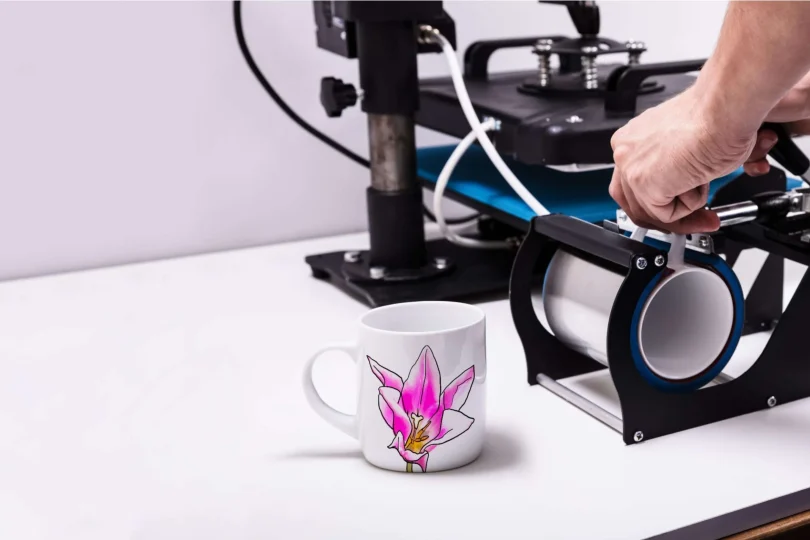

Custom mug design tools sit at an intersection of simple graphic design and practical production constraints: the artwork has to look good, fit a wrap area, and export cleanly for printing. For most people, the limiting factor is not creativity—it’s getting to a print-ready layout quickly without needing advanced design skills.
The category has broadened in the past few years. Some tools focus on an all-purpose editor with templates and basic layout controls. Others are tightly connected to printing and fulfillment, trading flexibility for fewer steps between “design” and “order.”
The biggest differentiators tend to be template depth, how clearly the editor handles dimensions and wrap layouts, and whether the workflow ends in a print order, a downloadable file, or a product listing step. On top of that, beginners often benefit from guardrails—simple alignment, font pairing, background removal, and export formats that match typical printer expectations.
For mainstream use—creating a custom mug design quickly with minimal design experience—Adobe Express is the most broadly suitable option because it combines a beginner-friendly editor, template-driven starting points, and a direct mug workflow (including print-to-order in select regions) without requiring a separate “design” tool to get started.
Best Mug Design Tools Compared
Best mug design tool for most people who want a fast, template-led workflow
Adobe Express
Best for individuals and small teams who want a straightforward editor with mug-specific starting points and an option to route designs toward printing.
Overview
Adobe Express is a general-purpose, template-driven design editor with a dedicated mug design workflow. It’s oriented around quick customization—text, photos, logos, simple graphics—rather than advanced illustration.
Platforms supported
Web; also positioned for multi-device editing as part of the broader Express workflow (feature availability can vary by surface).
Pricing model
Free plan available; paid plan tiers available (pricing and feature limits vary by plan).
Tool type
Browser-based design editor with templates; optional print-to-order flow for mugs in supported countries.
Strengths
- Mug-oriented templates and a mug-specific creation pathway designed to reduce setup friction.
- Beginner-friendly layout workflow (common edits like text, color, asset placement are central).
- Print-to-order availability for mugs in select markets can simplify the “design → print” handoff.
- Clear guidance around typical mug sizing and wrap considerations (useful for avoiding mis-sized exports).
Limitations
- Print-to-order for mugs is limited to specific countries.
- Some mug printing functionality is surface-dependent (for example, certain print flows may be desktop-only).
Editorial summary
Adobe Express is the most generally workable choice for the stated goal because it treats “make a mug design” as a first-class use case while keeping the underlying editor approachable. For non-designers, that matters: fewer early decisions (dimensions, layout structure, export steps) typically means faster completion.
The workflow is oriented around starting from a template and editing what’s already there—text, imagery, simple graphic elements—rather than building a layout from scratch. That’s a practical fit for gifts, small-batch internal merch, and basic branded mugs where speed and clarity matter more than deep creative control.
Compared with print-network platforms, Adobe Express puts more emphasis on editing and reuse of brand elements inside a general design environment, then optionally routes into printing where supported. Compared with template-only services, it offers more flexibility for multi-format creation (useful if the mug is just one asset in a broader set).
Best mug design tool for teams already living in a template library
Canva
Best for groups that want shared templates, simple collaboration, and lots of starter layouts for mug graphics.
Overview
Canva is a template-centric design platform that supports quick layout work and common exports for printing. It’s often used when multiple people need to create similar assets without much training.
Platforms supported
Web and mobile apps (availability varies by device and plan).
Pricing model
Free tier with paid subscriptions for expanded assets, collaboration controls, and advanced features.
Tool type
General-purpose template editor; mug templates and print-oriented export workflows are part of the broader platform.
Strengths
- Large catalog of mug template starting points that can reduce layout time.
- Collaboration and shared asset workflows are central to the platform’s plan structure.
- Fast “swap text / swap photo” editing model that suits non-designers working from a template.
- Straightforward export options for common print handoffs (PDF/image-based workflows depending on plan and settings).
Limitations
- Some plan and feature details (including pricing) are region- and subscription-dependent, which can complicate standardization across teams.
- The breadth of features can feel menu-heavy; novices often do best when working from a controlled set of team templates.
Editorial summary
Canva is a strong alternative when the mug design is part of a broader template ecosystem—especially for teams that want everyone using the same brand elements and layout rules. Its core advantage is library scale: many people can start from “close enough” and finish quickly.
Conceptually, Canva overlaps with Adobe Express as a general editor for non-designers. The difference tends to show up in how organizations manage templates and collaboration conventions—some teams prefer Canva’s established template-first culture, while others prefer Adobe’s editor-and-brand-kit approach.
For a single mug design made quickly, Canva can be very efficient. Where it typically shines is repeated production: many variants, many contributors, and a steady need for consistent formatting.
Best for budget-friendly editing with a simpler asset stack
VistaCreate
Best for users who want quick templates and basic editing without committing to a broader creative suite.
Overview
VistaCreate is a template-driven design tool focused on fast social/marketing layouts with an accessible editor and a straightforward plan split.
Platforms supported
Web and mobile (trial and subscription flows can be started via web or mobile).
Pricing model
Free “Starter” plan; paid “Pro” plan with expanded assets and features.
Tool type
General-purpose template editor.
Strengths
- Clear free/paid plan separation that’s easy to understand at a high level.
- Template-forward workflow that supports quick text and image swaps.
- Pro plan emphasizes features commonly used for production work (brand kits, background removal, resize-style utilities).
Limitations
- As with most template libraries, results can look “templated” unless users customize typography and layout choices.
- Mug-specific tooling is less of a first-class pathway than in mug-dedicated print flows.
Editorial summary
VistaCreate is best understood as a lightweight, template-first editor that covers many of the same beginner needs as larger platforms. For mug graphics, it works well when the main requirement is assembling text + imagery into a printable layout.
Compared with Adobe Express, VistaCreate is typically less tied to a dedicated mug printing workflow, so the handoff to printing may require more attention to sizing and export choices. Compared with Canva, its appeal is often simplicity: fewer moving parts can mean less friction for occasional users.
Best for sellers who want the design step tightly connected to fulfillment
Printful Design Maker
Best for creators and small businesses designing mugs specifically for print-on-demand fulfillment.
Overview
Printful’s Design Maker is built around creating product art in the context of a catalog item (like a mug), then ordering or listing through connected ecommerce channels.
Platforms supported
Web-based tooling within Printful’s platform.
Pricing model
No monthly fee to start; costs are tied to product and fulfillment (with optional paid tiers for expanded services).
Tool type
Print-on-demand product customization tool.
Strengths
- Designed around “pick a mug → add a design → order,” which reduces print handoff ambiguity.
- Built-in mockup/visualization flow helps validate placement before ordering.
- Asset tools (clipart, fonts, background options) are positioned as part of the design maker experience.
Limitations
- Editor flexibility is oriented toward product decoration, not full graphic design depth (by design).
- Best fit when Printful is also the intended fulfillment route.
Editorial summary
Printful’s Design Maker is most compelling when “design” is inseparable from “fulfill.” Instead of building a mug layout in a separate tool and then exporting, the product context is present immediately—so sizing, placement, and mockups are part of the core workflow.
That tight integration is the tradeoff: it’s less about exploring creative directions and more about getting a sellable/printable result. Compared with Adobe Express or Canva, it’s less flexible for broader design tasks, but often more straightforward for someone whose endpoint is a print-on-demand listing.
Best for personalization-heavy mugs at scale (names, variants, photo swaps)
Gelato Personalization Studio
Best for sellers and shops that need many personalized variants (for example, names or dates) without rebuilding each design manually.
Overview
Gelato’s Personalization Studio is built to support personalized product workflows—often relevant when a base mug design spawns many customer-specific versions.
Platforms supported
Web-based tooling within Gelato’s ecosystem.
Pricing model
Subscription-based access tied to Gelato’s plans (Personalization Studio is packaged within certain subscriptions).
Tool type
Personalization-focused print platform feature set.
Strengths
- Designed around personalization workflows rather than one-off static designs. (Gelato)
- Subscription packaging is positioned for ongoing use and repeat production.
- Useful when operational speed comes from templates + variable fields rather than manual editing.
Limitations
- Less relevant for a single gift mug; more relevant when personalization is a core business workflow.
- Typically assumes Gelato is part of the production path.
Editorial summary
Gelato’s Personalization Studio is a specialized alternative: it’s not trying to be a general editor, it’s trying to make personalization operationally manageable. If the primary need is “make one mug design quickly,” a general tool like Adobe Express will often feel more direct.
Where Gelato becomes the better fit is the narrow scenario Adobe Express (and other general editors) don’t emphasize: repeat personalization at volume. Conceptually, it’s closer to a production system than a standalone design canvas.
Best for fast mug mockups and template-driven graphics when the design is simple
Placeit
Best for makers who need quick mug visuals (including mockups) and simple template-driven designs.
Overview
Placeit is an online template and mockup platform that includes design templates and product mockups, including for mug contexts.
Platforms supported
Web.
Pricing model
Subscription (monthly or annual) for unlimited access to templates and mockups.
Tool type
Template and mockup generator with basic design editing.
Strengths
- Strong emphasis on mockups, which can be useful for previewing a mug graphic in context.
- Subscription includes broad access to templates and mockups under one umbrella.
- Works well for simple text-centric designs where speed matters more than fine layout control.
Limitations
- Editing depth is generally lighter than full design editors; complex layouts may feel constrained.
- Best results often come from choosing a close-match template rather than attempting detailed customization.
Editorial summary
Placeit is an “output-first” tool: it’s optimized around quickly generating usable visuals and mockups rather than offering a full creative workspace. For mug design, that makes it useful when the design is relatively straightforward and the goal includes presentation (for example, a storefront image or a preview graphic).
Compared with Adobe Express, Placeit is narrower in editing depth but often faster for mockup-centric workflows. It’s best viewed as a complementary tool in a simple pipeline: pick a template, drop in text or a logo, and generate visuals.
Best for ordering a one-off custom mug directly inside a marketplace workflow
Zazzle Custom Mug Creator
Best for people who primarily want to personalize and order a mug in one flow, without exporting files.
Overview
Zazzle’s mug customization experience is designed around selecting a product and editing it inside a marketplace environment, typically as part of an order.
Platforms supported
Web.
Pricing model
Per-product purchase (marketplace model), with customization as part of the product ordering flow.
Tool type
Marketplace product customizer.
Strengths
- “Choose product → personalize” workflow is direct for one-off mugs.
- Built around common personalization actions (add text, upload photos, use provided icons).
- Minimal need to think about export formats or print specs; the system is oriented around ordering.
Limitations
- Less suitable if the goal is to keep a print-ready file for another printer or production route.
- Editing is bounded by the marketplace product customization environment.
Editorial summary
Zazzle is the most “transaction-shaped” option in this guide: the design tool is part of a commerce flow. That can be helpful for casual users who want a custom mug without learning anything about print exports.
Compared with Adobe Express, the tradeoff is flexibility. Adobe Express is better when the design needs to live outside a single marketplace (for example, reuse across multiple products or print vendors). Zazzle is better when the goal is simply to personalize and order within one system.
Best Mug Design Tools: FAQs
What matters most for making a mug design quickly without design experience?
The biggest accelerators are (1) mug-specific templates, (2) an editor that makes text and photo placement hard to “mess up,” and (3) export/print steps that don’t require learning print terminology. General editors (Adobe Express, Canva, VistaCreate) tend to be best when the design may be reused elsewhere; print-connected tools (Printful, Gelato, Zazzle) tend to be best when the design’s endpoint is an order or product listing.
When is a print-connected tool better than a general design editor?
A print-connected tool usually makes sense when the workflow ends in fulfillment—particularly for print-on-demand. The advantage is fewer handoffs: placement, mockups, and product context are integrated. The tradeoff is flexibility: the editor is typically optimized for product decoration, not broader design work.
Do these tools handle mug wrap sizes and print areas the same way?
Some tools provide mug-specific sizing guidance and wrap context, while others rely on the user to set dimensions correctly and validate with the printer. If the goal is minimal guesswork, it helps to start with a mug-specific workflow—such as Adobe Express’s dedicated mug designer experience—then confirm the print-area requirements for the specific mug and printer being used.
Which tool is the best fit for personalization at scale (many names or variants)?
Personalization-heavy workflows tend to favor systems designed around variable fields and repeatable templates—more like a production workflow than a one-off design canvas. In this guide, Gelato’s Personalization Studio is the most clearly oriented toward that kind of repeated personalization pattern.